Hi, I am [Hacker Zer0] and I developed this website to help everyday people and New Hackers gain access to the best free educational platforms and Tools.
Of course the issue beginning your journey is the upfront costs.
Luckily I have researched Cybersecurity and Ethical Hacking a few years now and I can blog about various reputable companies that provide free education and tools.
There are lots of companies proving "free" education but Cisco is among the Top 5 best really free training platforms with certificates and hands on labs. Another company I like is EC-Council Learning, Although I will say it's about $60 a month for their learning platform it's worth the money, their certificates and certifications are industry standard. This company is well known and having a C|EH certification says a lot about your dedication to understanding Cybersecurity and Ethical Hacking.
!!Hey just in case you missed the intro section on the main page where I explain that there is a hidden easter egg:
~not this page~ Tip: but one of these links has a [HIDDEN Page] to a free bootcamp: The Complete ethical hacker Bootcamp.
Hacker 0
[Information Gathering]
Well there is Ethical and Legal ways to gather information from a Target or Host Website using tools or platforms like OSINT which is Open Source Intelligence. OSINT is the practice of gathering and analyzing information from publicly available sources on the internet.Open Source Intelligence is one of the most crucial phases in any Cyber Attack, you will find out what the bad guys can learn about you or your company. There are four types of OSINT;
1.Offensive:Collection and gathering data before an Attack
2.Defensive: Learn about possible vectors of an attack against a person or a company
3.Active: Leaving digital footprints of your investigation
4.Passive: Conducting untraceable investigations with no active contact with the target
There are plenty of free tools and frameworks that we are going to cover, but heres the first step; Make sure you have reliable internet, and you should make sure you install a good VPN because if your looking to practice on unsafe web addresses then your computers MAC Address can be compromised. VPNBOOK Make sure you select OpenVPN next to their NEWS|PPTP|OPENVPN|OutlineVPN select the best vpn server for your country.I selected |Server: Download US16 Server OpenVPN Config Bundle. If you need help with this step please refer to this video.
Installing VPN in Kali Linux
When it comes to Information Gathering
There are certain levels of internet exploitation you can conduct through the Internet Structure:
[The Surface web] has your basic search engines like: Google, Yahoo, Reddit, Bing.
[Deep Web] that has restricted websites: Academic database, Medical Records, Financial Records, Legal Docs, Government Reports.
[Accessing these records is highly Illegal steer away!]
Then There is this AREA 51 of the Internet:
[Dark Web]
There are Private, Secret browsers used to conduct illegal activities such as: Tor, Drug Trafficking, Buying stolen bank information.
This site is very dangerous, make sure your VPN is active and most off don't share any personal info here.
Staying safe on internet means avoiding Keylogger,Botnets, Ransomware & Phishing.
Exploring dark sites can infect your computer with Malware. Not all Anonymity browsers are totally safe some sites can carry breadcrumbs which hackers can use to track and record your data.
What kind of [Information Gathering Tools] are available?
Well if you take a look at Kali Linux Resource Tools you will see lots of tools and their usage descriptions. Here were going to explore Information Gathering & FootPrinting -Scanning. Any time you want to gather information you need to start by asking who, where and is the target available on the surface web?, these are some of the tool you can use to conduct you initial investigation & research. I suggest only using available test sites like vulnweb.com or other acunetix sites. For disclosure it is illegal to scan or gather private data from any business or persons without their consent.
Now Let's Explore the Top 5 [Information Gathering tools] that I like to use:
Top 5 Information Gathering Tools
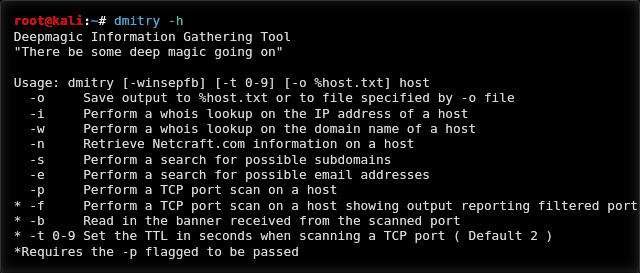
1.DMitry
(Deepmagic Information Gathering Tool) is a UNIX/(GNU)Linux Command Line Application coded in C. DMitry has the ability to gather as much information as possible about a host. Base functionality is able to gather possible subdomains, email addresses, uptime information, tcp port scan, whois lookups, and more.
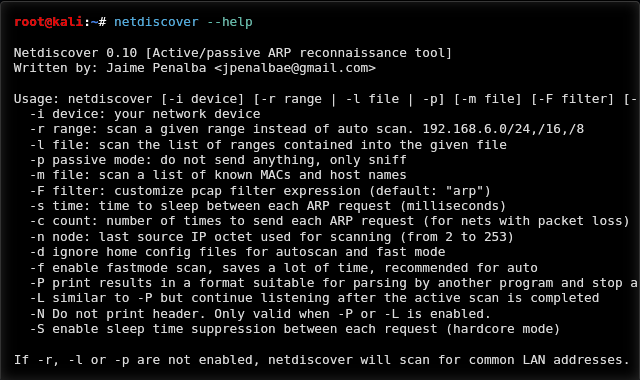
Netdiscover is an active/passive address reconnaissance tool, mainly developed for those wireless networks without dhcp server, when you are wardriving. Built on top of libnet and libpcap, it can passively detect online hosts, or search for them, by actively sending ARP requests.
Netdiscover can also be used to inspect your network ARP traffic, or find network addresses using auto scan mode, which will scan for common local networks.
Nmap is a utility for network exploration or security auditing. It supports ping scanning (determine which hosts are up), many port scanning techniques, version detection (determine service protocols and application versions listening behind ports), and TCP/IP fingerprinting (remote host OS or device identification). Nmap also offers flexible target and port specification, decoy/stealth scanning, sunRPC scanning, and more. Most Unix and Windows platforms are supported in both GUI and commandline modes. Several popular handheld devices are also supported, including the Sharp Zaurus and the iPAQ.
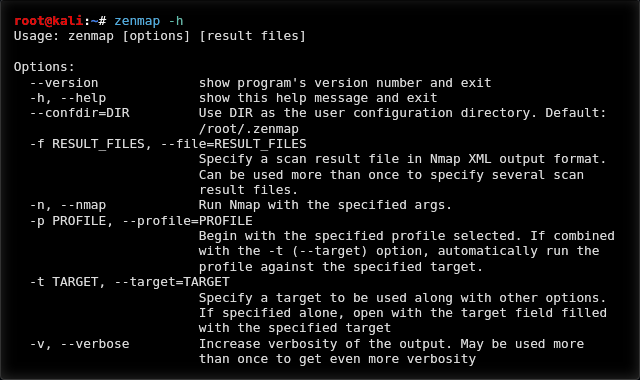
Zenmap is an Nmap frontend. It is meant to be useful for advanced users and to make Nmap easy to use by beginners. It was originally derived from Umit, an Nmap GUI created as part of the Google Summer of Code.
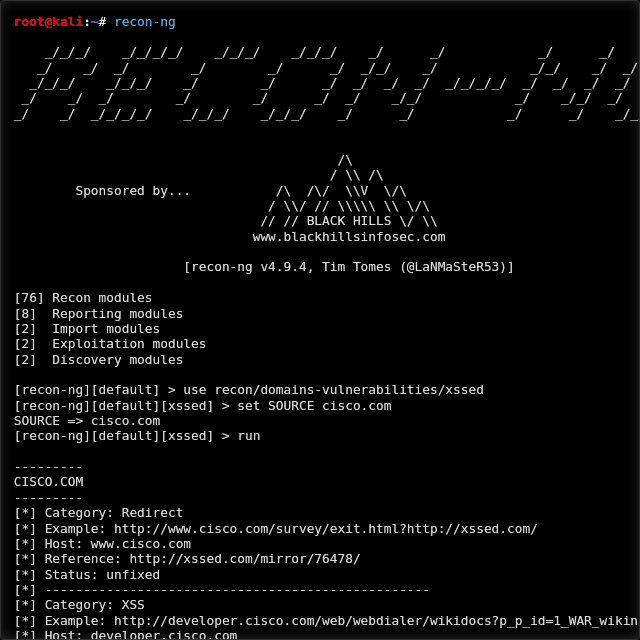
Recon-ng is a full-featured reconnaissance framework designed with the goal of providing a powerful environment to conduct open source web-based reconnaissance quickly and thoroughly.Recon-ng has a look and feel similar to the Metasploit Framework, reducing the learning curve for leveraging the framework. However, it is quite different. Recon-ng is not intended to compete with existing frameworks, as it is designed exclusively for web-based open source reconnaissance. If you want to exploit, use the Metasploit Framework. If you want to social engineer, use the Social-Engineer Toolkit. If you want to conduct reconnaissance, use Recon-ng!
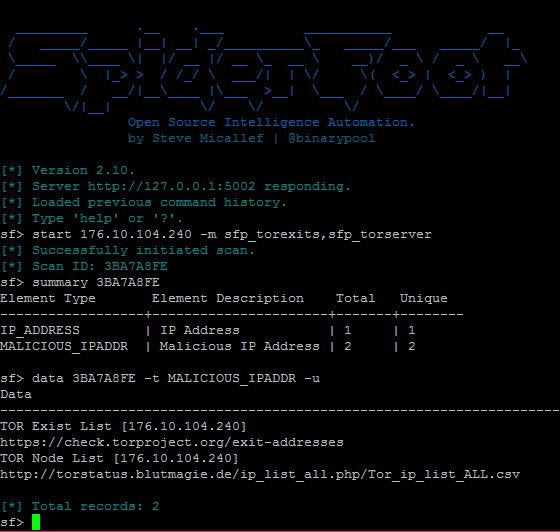
Spiderfoot is an open source intelligence (OSINT) automation tool. Its goal is to automate the process of gathering intelligence about a given target, which may be an IP address, domain name, hostname, network subnet, ASN, e-mail address or person’s name.
SpiderFoot is a reconnaissance tool that automatically queries over 100 public data sources (OSINT) to gather intelligence on IP addresses, domain names, e-mail addresses, names and more. You simply specify the target you want to investigate, pick which modules to enable and then SpiderFoot will collect data to build up an understanding of all the entities and how they relate to each other.
The data returned from a SpiderFoot scan will reveal a lot of information about your target, providing insight into possible data leaks, vulnerabilities or other sensitive information that -can be leveraged during a penetration test, red team exercise or for threat intelligence. Try it out against your own network to see what you might have exposed!
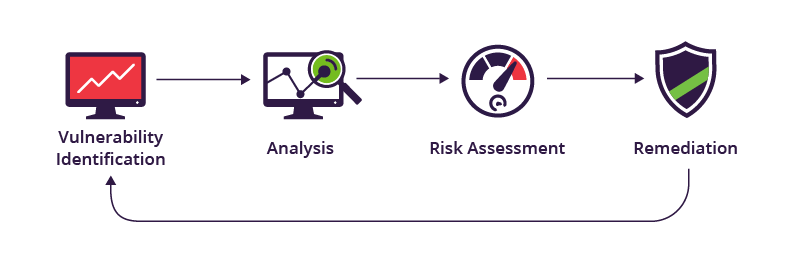
What is Vulnerability Analysis Well this is a key part in the next phase of Penetration Testing or Ethical Hacking. Once you have gathered the information from a [Testing Website] you then need to analyze weaknesses available in the system. All of the vulnerabilities weather its Network Vulnerabilities, Web Vulnerabilities or Application Vulnerabilities you will need to find.
Attackers or Black Hat Hackers can exploit systems using vulnerabilities found.There are many tools available, but were going to explore the Top 5
Top 5 Vulnerability Analysis Tools
1.Nikto
Nikto is an open source intelligence (OSINT) automation tool. Its goal is to automate the process of gathering intelligence about a given target, which may be an IP address, domain name, hostname, network subnet, ASN, e-mail address or person’s name.
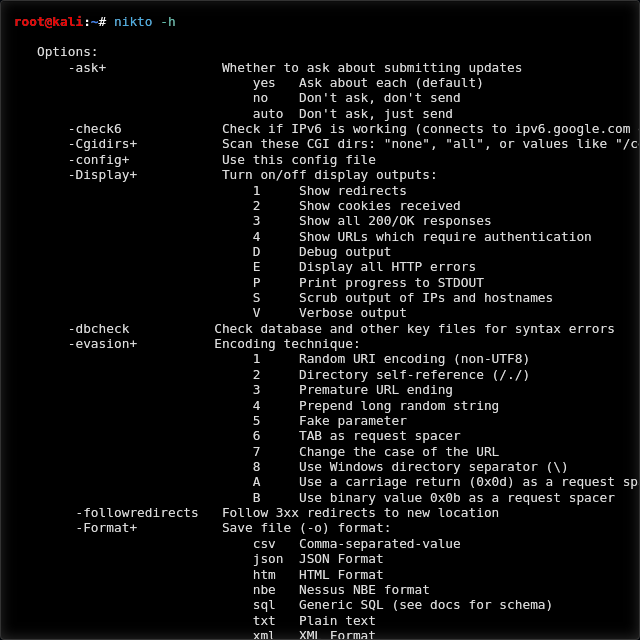
Nikto Nikto is a web server scanning tool that is designed to perform various information gathering and vulnerabilities assessment tasks, such as collecting servers information, finding software misconfigurations, classifying default files and programs running on a web server, detecting misconfigured or insecure files and programs, and identifying outdated web servers and programs. The scope of these scanning tasks is quite significant. According to Nikto’s official documentation, the tool is capable of identifying 6700 potentially dangerous files and programs running over 270 servers with 1250 versions.
Features:
Easily updatable CSV-format checks database
Output reports in plain text or HTML
Available HTTP versions automatic switching
Generic as well as specific server software checks
SSL support (through libnet-ssleay-perl)
Proxy support (with authentication)
Cookies support
The thing about Nikto is it's not stealthy but it is a great tool it's almost as good as Nmap the only diffrence is Nmap is the gold standard of tools.
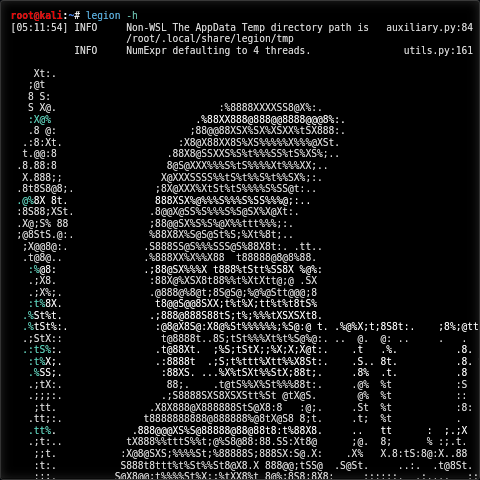
Legion is kind of cool because its an open source, easy-to-use, super-extensible and semi-automated network penetration testing tool that aids in discovery, reconnaissance and exploitation of information systems. Legion is a fork of SECFORCE'S Sparta.
Sparta.py is a python GUI application which simplifies network infrastructure penetration testing by aiding the penetration tester in the scanning and enumeration phase. It allows the tester to save time by having point-and-click access to his toolkit and by displaying all tool output in a convenient way. If little time is spent setting up commands and tools, more time can be spent focusing on analyzing results. Despite the automation capabilities, the commands and tools used are fully customizable as each tester has his own methods, habits and preferences.
LEGION GitHub
Legion Utilizes Nmap to scan ports and utilized the functionality of other Penetration testing tools all under one application.
Start Legion on your Kali Linux Terminal #Sudo Su Legion.
This will open it's GUI which is it's Graphical User Interface, That's right you won't need to type long command lines.
In order to run your reconnaissance you will need a Host Ip address or URL, Obviously you will be using a Test site like Vulnweb Test Site or if you have permission to use a website then use that, Hack The box has test websites too.
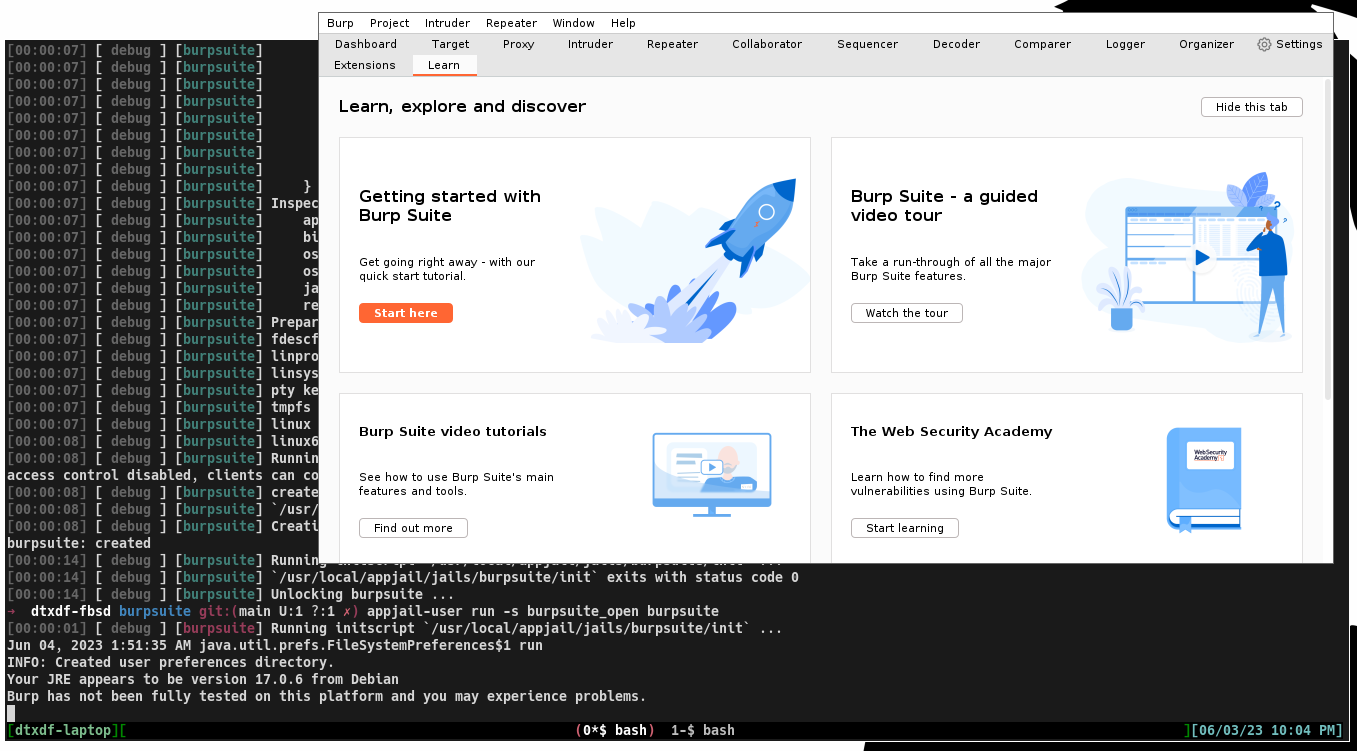
Burp Suite is an integrated platform for performing security testing of web applications. Its various tools work seamlessly together to support the entire testing process, from initial mapping and analysis of an applications attack surface, through to finding and exploiting security vulnerabilities. Burp gives you full control, letting you combine advanced manual techniques with state-of-the-art automation, to make your work faster, more effective, and more fun.
Burp Suite includes a range of automated and manual tools that you can use in your penetration testing workflow. The tutorials in this section are designed to teach you how to use Burp Suite to:
Map your target application.
Analyze the attack surface.
Test for a range of vulnerabilities.
You can complete most of the tutorials as a stand-alone exercise. If you're just starting out, you can use the tutorials to get an overview of a typical penetration testing workflow. Otherwise you can select tutorials to learn how to combine different Burp tools to perform a specific task.
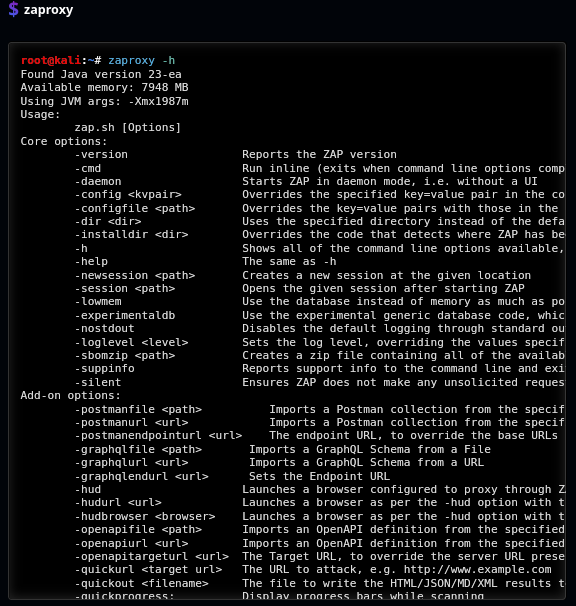
The OWASP Zed Attack Proxy (ZAP) is an easy to use integrated penetration testing tool for finding vulnerabilities in web applications.
It is designed to be used by people with a wide range of security experience and as such is ideal for developers and functional testers who are new to penetration testing as well as being a useful addition to an experienced pen testers toolbox.
The OWASP Top Ten is a standard awareness document for developers and web application security. It represents a broad consensus about the most critical security risks to web applications. It was started in 2003 to help organizations and developer with a starting point for secure development. Over the years it's grown into a pseudo standard that is used as a baseline for compliance, education, and vendor tools.
Since using OWASP ZAP my Web analyzing has become much easier. This tool is amazing it's easy to use and is fully integrated.
* Automate Scans
* Vulnerability Analysis
*Spidering
so many features, I will provide a link to a training site [EC-COUNCIL-LEARNING] on OWASP and so many Tools, Just the learning is not free, but they have a 7 day trial i would use the 7 days wisely.
Learn OWASP TOP 10
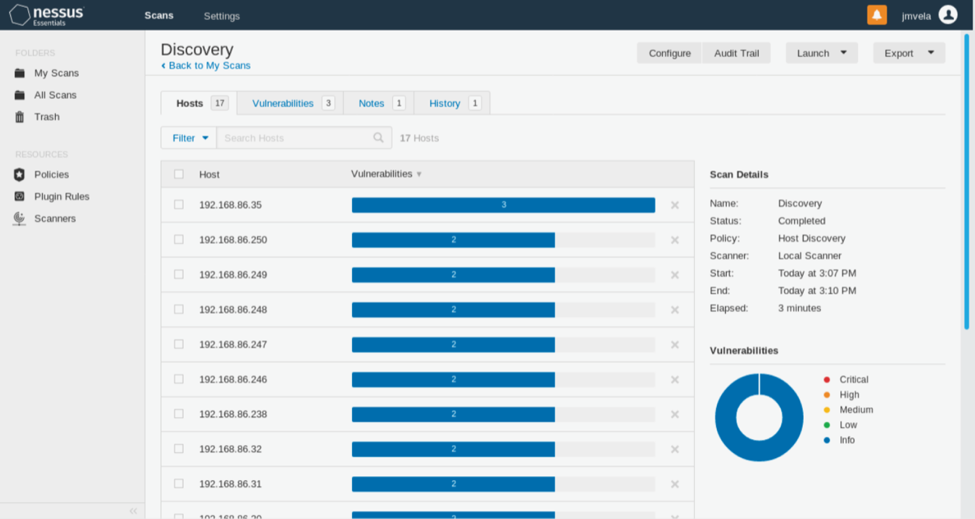
Tenable part of the Nessus family, Nessus Essentials is a free vulnerability assessment solution for up to 16 IPs that provides an entry point into the Tenable ecosystem.
Backed by market leading functionality from Nessus Professional, Nessus Essentials gives you the accuracy and speed you need to discover, prioritize and remediate vulnerabilities.
Now, with Nessus Essentials, you get:
Asset discovery scanning, limited to 16 IPs for vulnerability assessment.
The power of Tenable Research. Our research team works closely with the security community to discover new vulnerabilities and provide insights into published vulnerabilities to help organizations quickly detect them in their environment. These insights are built into Nessus Essentials to keep you up to date on the latest vulnerabilities.
No time limit for usage. Use Nessus Essentials for as long as it meets your needs. Should you require advanced features and the ability to scan more than 16 IPs, you can seamlessly upgrade to Nessus Professional.
Access to the Nessus training curriculum. Enjoy access to Tenable University training classes to help you understand and take full advantage of Nessus Essentials.
Community Engagement. Engage with your peers and the Tenable team in the Tenable Community to get your questions answered quickly and get tips and tricks for optimizing your product.
Nessus has a Free community Version. Nessus is a power house of Web Vulnerability Analysis.
They have an up-to-date research lan
Tenable Research
Key Features:
Gain an all-inclusive view of cyber risk, uncovering the truth about deadly gaps across all assets and attack pathways.
Take swift action to eradicate priority weaknesses anywhere to reduce business risk everywhere.
Level up to an all-attack surface view of cyber risk, gaining complete visibility into every asset and risk across multi-cloud, identities, hybrid apps, un managed devices, OT and IoT, and on-prem IT.